
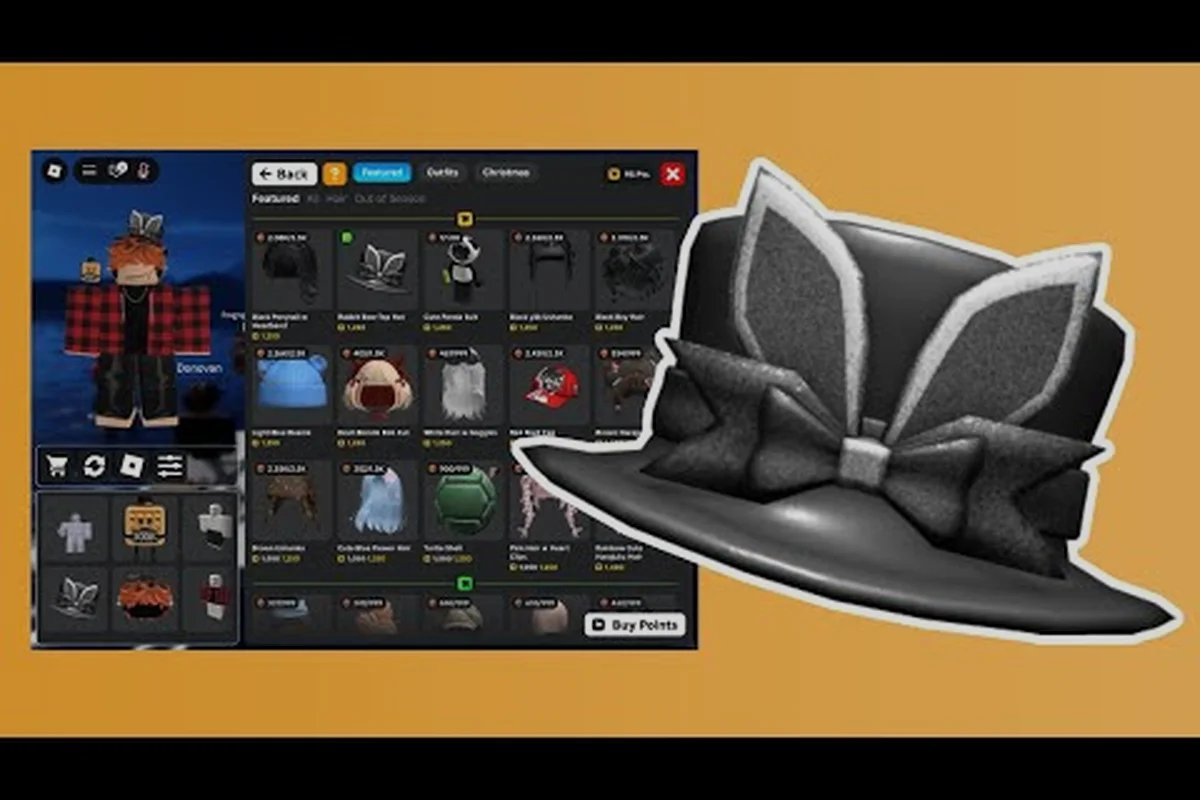
Shopping inside My Avatar feels different from a standard Roblox avatar editor because the experience turns catalog browsing into a full game loop. You earn Points by trying on community outfits, then spend those Points on accessories that permanently save to your Roblox inventory. This my avatar catalog guide explains how to navigate the storefront, preview pieces before committing, and build a wardrobe without draining your balance on impulse buys.
Navigating My Avatar's Virtual Storefront Zones
When you first load into the experience, the catalog presents itself as a massive virtual storefront rather than a simple grid of thumbnails. The main browsing area organizes items into rotating shelves, featured mannequins, and category tabs that mirror the broader Roblox marketplace structure. According to the official My Avatar game page, the experience has accumulated over 415 million visits and maintains a 91% like ratio, which reflects how well the catalog loop keeps players engaged.
The layout breaks down into three core zones that every shopper should recognize. The Featured Row sits at the front and cycles through community-curated outfits that trend within the last 24 hours. The Category Shelves organize my avatar catalog items by accessory type, including hats, faces, hair, shirts, pants, and gear. The Point Store occupies a separate wing where you redeem earned Points for exclusive accessories that do not appear in the standard Roblox catalog.
| Zone | Primary Function | Best Use Case |
|---|---|---|
| Featured Row | Displays trending community outfits | Finding complete looks without mixing pieces |
| Category Shelves | Sorts items by accessory type | Targeted shopping for a specific slot |
| Point Store | Exchanges earned Points for exclusives | Acquiring free accessories through gameplay |
| Try-On Booth | Previews items on your current avatar | Verifying fit and color before purchase |
The catalog refreshes its inventory rotation on a regular schedule, though exact timing varies by region and server. Players report that returning to the experience after a few hours often reveals new featured mannequins, which keeps the browsing loop fresh. Because the storefront pulls directly from the live Roblox catalog, any item you see reflects current marketplace availability rather than a static snapshot.
How to Browse the My Avatar Roblox Catalog Efficiently
Browsing without a plan leads to Point waste, especially when the Featured Row tempts you with complete outfits that mix premium and basic pieces. A structured approach to my avatar catalog shopping starts with filtering by category before scanning individual items. The in-game interface includes a search bar that accepts partial keywords, so typing "hair" or "face" narrows the shelves to relevant accessories within seconds.
Using Filters and Search Tools
The filter system supports multiple simultaneous conditions, which means you can combine category, price range, and item type in a single query. For example, filtering for Hats under 50 Points returns only affordable headwear, eliminating the need to scroll past expensive gear. The search function recognizes Roblox asset names, creator names, and even color keywords, making it easier to locate specific my avatar catalog items without memorizing exact titles.
| Filter Type | What It Does | Pro Tip |
|---|---|---|
| Category | Limits results to one accessory slot | Use before adding price filters |
| Price Range | Sets minimum and maximum Point cost | Prevents overspending on impulse buys |
| Creator | Shows items from a specific designer | Follow creators whose style matches yours |
| Color | Matches items by dominant hue | Useful for building coordinated outfits |
The Try-On Booth is the most underrated tool in the entire catalog. Instead of purchasing an item to see how it looks on your avatar, you can preview any piece in real time, rotate the camera, and check for clipping issues with your current outfit. This preview system saves Points because you catch mismatched colors and awkward proportions before spending anything. Players who skip the booth often report buyer's remorse on accessories that looked different in thumbnail form.
Reading Item Details Before Buying
Every catalog entry includes a details panel that shows the item's Roblox asset ID, creator name, original marketplace price, and Point cost. Comparing the Point cost against the Robux price helps you identify high-value conversions, especially for limited accessories that cost significantly more on the standard marketplace. The details panel also indicates whether an item is Limited or Limited U, which affects resale potential and long-term value.
Community data suggests that items priced under 100 Points typically offer the best value-to-cost ratio, while premium pieces above 500 Points require more deliberate consideration. Because Points accumulate through gameplay rather than direct purchase, the opportunity cost of a bad buy is measured in time spent trying on outfits rather than real currency. This distinction makes the catalog feel more forgiving than a Robux storefront, but it also encourages slower, more thoughtful shopping habits.
Best Catalog Items to Prioritize in My Avatar
Not all my avatar catalog items deliver equal value, and experienced shoppers develop a priority list based on versatility, visual impact, and exclusivity. The best catalog items tend to be accessories that work across multiple outfit styles rather than niche pieces that only match one specific look. Face accessories and hair consistently rank highest because they appear in nearly every outfit combination and create the most noticeable visual change.
High-Value Accessory Categories
The Point Store rotates its inventory periodically, but certain categories maintain consistent value regardless of the current rotation. Faces offer the highest impact per Point because they define your avatar's expression and personality. Hair follows closely behind, with layered styles and unique colors standing out more than flat or generic options. Back accessories such as wings, capes, and backpacks add silhouette interest that reads clearly even at a distance.
| Category | Value Rating | Why It Matters | Best Time to Buy |
|---|---|---|---|
| Faces | Excellent | Defines avatar personality | Always worth prioritizing |
| Hair | Excellent | High visual impact | When a unique style appears |
| Back Items | Very Good | Adds silhouette interest | During seasonal rotations |
| Hats | Good | Frames the face | When matching an outfit theme |
| Shirts/Pants | Moderate | Less visible in most poses | Only for complete outfit sets |
The my avatar limited items guide covers the rotating selection of rare and trending pieces in greater depth, including which limited accessories hold value over time. For everyday shopping, focus on building a core wardrobe of versatile faces and hair options before branching into situational accessories that only work for specific themes.
Avoiding Common Shopping Mistakes
The biggest mistake new shoppers make is buying items in isolation without considering how they combine with existing wardrobe pieces. A hat that looks stunning on the mannequin may clash with your current hair or clip through your face accessory. The Try-On Booth solves this by letting you preview multiple items simultaneously, so always test new purchases against your most-worn outfit before committing Points.
Another common pitfall involves chasing Featured Row outfits without checking individual piece costs. Complete outfits often include one or two premium items that inflate the total Point requirement, while the remaining pieces are basic accessories you may already own. Breaking down featured outfits into individual components reveals which pieces actually justify the cost and which ones you can skip without losing the overall aesthetic.
Smart My Avatar Catalog Shopping Strategies
Effective my avatar catalog shopping requires a balance between impulse enjoyment and long-term wardrobe planning. The Point economy rewards consistent browsing because every try-on session generates currency, but spending that currency wisely separates well-dressed avatars from cluttered inventories. Developing a shopping strategy before entering the catalog prevents the common cycle of earning Points and immediately spending them on the first appealing item.
Building a Point Budget
Treat your Point balance like a limited resource rather than an infinite currency. Before browsing, decide how many Points you are willing to spend in a single session and stick to that ceiling. This prevents the gradual drain that happens when you buy multiple cheap accessories without noticing the cumulative cost. A practical budget approach involves saving for one high-value piece rather than spreading Points across several low-impact items.
| Budget Range | Shopping Approach | Expected Outcome |
|---|---|---|
| Under 50 Points | Save for a versatile face or hair | One high-impact accessory |
| 50-150 Points | Buy one mid-tier item after preview | Balanced value purchase |
| 150-300 Points | Consider a complete outfit set | Coordinated look with synergy |
| 300+ Points | Invest in limited or exclusive pieces | Long-term wardrobe asset |
The Point Store occasionally offers items that never appear in the standard Roblox catalog, making them effectively exclusive to My Avatar players. These exclusives carry higher prestige within the community and often become conversation starters in other Roblox experiences. Prioritizing exclusive Point Store items over standard catalog pieces maximizes the unique value of your earned currency.
Timing Your Purchases
Catalog rotations create natural shopping windows where specific item categories receive temporary discounts or featured placement. Players report that seasonal events introduce themed accessories at reduced Point costs, making those periods ideal for expanding your wardrobe efficiently. Checking the catalog during major Roblox events often reveals limited-time items that disappear after the event concludes.
The beginner guide explains how to maximize Point earnings during your first few sessions, which directly impacts how quickly you can afford premium catalog pieces. Understanding the earning loop helps you set realistic shopping goals and avoid frustration when expensive items remain out of reach during early gameplay.
Mastering the Try-On and Preview Workflow
The preview system in My Avatar functions as a risk-free testing ground for every catalog purchase, yet many players underutilize its capabilities. Beyond simple item preview, the Try-On Booth supports layering multiple accessories simultaneously, which reveals compatibility issues that individual previews miss. Testing a new hat alongside your existing hair and face accessories prevents the clipping and color clashes that plague poorly planned outfits.
Creating a Preview Checklist
Before finalizing any purchase, run through a mental checklist that evaluates the item from multiple angles. Check the front view for facial framing, rotate to the side profile for silhouette clarity, and zoom out to see how the accessory reads at typical gameplay distance. Items that only look good in close-up preview often disappear or become indistinct when viewed from the standard third-person camera angle used in most Roblox experiences.
| Preview Check | What to Look For | Red Flags |
|---|---|---|
| Front View | Facial framing, color harmony | Item covers face or clashes with skin tone |
| Side Profile | Silhouette clarity, no clipping | Accessory intersects with hair or body |
| Distance View | Visibility at gameplay zoom | Item becomes invisible or indistinct |
| Animation Test | Movement compatibility | Accessory floats or detaches during emotes |
The how to save outfits guide walks through the process of preserving your favorite combinations after you find pieces that work well together. Saving outfits lets you return to successful looks without manually re-equipping each accessory, which streamlines the shopping and styling workflow considerably.
Testing Across Multiple Outfit Styles
A truly versatile accessory should work with at least two or three different outfit themes. Before purchasing, preview the item against a casual look, a formal outfit, and a themed costume to gauge its flexibility. Accessories that only complement one specific style limit your wardrobe options and often end up unused after the initial novelty wears off.
Community feedback consistently highlights versatility as the most important factor in long-term satisfaction with catalog purchases. Players who prioritize flexible accessories report higher overall satisfaction with their Point spending compared to those who chase trendy items that quickly fall out of rotation. This insight reinforces the value of deliberate shopping over impulse buying.
Frequently Asked Questions
What is the fastest way to earn Points for catalog shopping?
The fastest Point-earning method involves trying on complete community outfits from the Featured Row, which grants Points for each preview session. Rotating through multiple outfits in a single browsing session accumulates currency quickly, and the earnings reset on a timer that encourages regular return visits rather than marathon grinding.
Can I buy Roblox catalog items directly with Robux in My Avatar?
No, the in-game Point Store operates independently from Robux purchases. Points are earned exclusively through gameplay activities like trying on outfits and browsing the catalog. However, items purchased with Points save to your Roblox inventory and function identically to Robux-purchased accessories across all experiences.
Do Point Store items rotate or stay permanently available?
Point Store inventory rotates on a schedule that varies by season and event. Some exclusive items return periodically while others disappear permanently after their rotation ends. Checking the store regularly helps you catch limited-time pieces before they cycle out of availability.
How do I know if a catalog item is worth its Point cost?
Compare the item's Point cost against its Robux marketplace price using the details panel. Items with high Robux values and low Point costs represent the best conversions. Additionally, preview the item in the Try-On Booth to verify it works with your existing wardrobe before committing Points.
Can I refund or exchange catalog items I regret buying?
The current system does not support refunds or exchanges for Point Store purchases. This makes the Try-On Booth essential for avoiding buyer's remorse. Always preview items thoroughly and test them against multiple outfits before spending Points, since purchases are permanent once confirmed.