
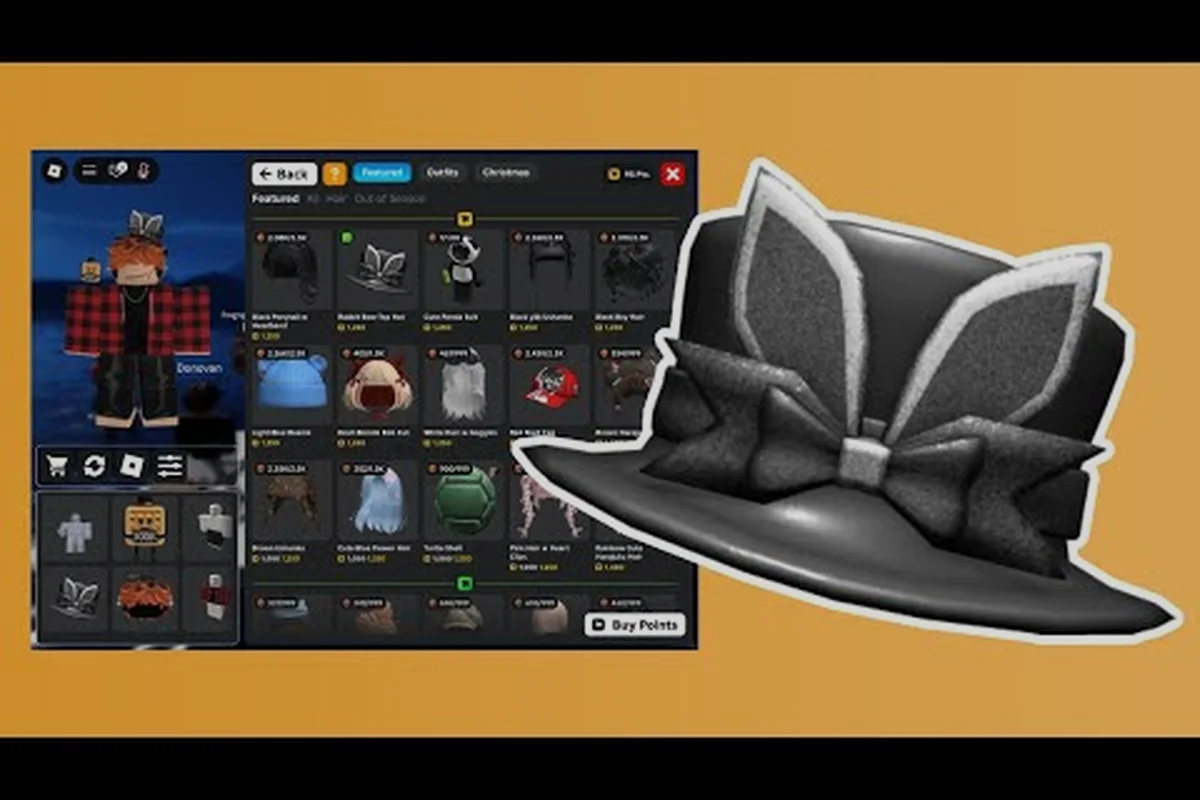
Recreating a beloved character inside My Avatar turns the catalog into a personal costume closet, and a well-built my avatar cosplay avatar can look surprisingly close to the source material without spending thousands of Robux. The trick is knowing which catalog pieces read as "anime protagonist" or "sci-fi officer" at a glance, then layering accessories to sell the silhouette. This guide breaks down seven cosplay directions, from pastel dreamscapes to gritty movie heroes, with specific item categories and budget strategies that work inside the Roblox shopping experience.
Cosplay Foundations: How the Catalog Reads Characters
A convincing my avatar cosplay avatar rarely depends on one perfect item. Instead, it relies on three visual signals that the catalog can reproduce reliably: silhouette, color blocking, and signature props. The silhouette comes from hair and body shape, color blocking from layered clothing, and signature props from held accessories or face items. When all three align, viewers recognize the character before reading a single label.
The My Avatar experience, created by THINK DIFFERENT., gives players access to the full Roblox catalog with a preview system that makes testing these signals fast. According to the official My Avatar page, the experience has passed 415 million visits, which means the community has already produced thousands of cosplay combinations worth studying. Browsing community-made outfits inside the game is one of the fastest ways to see which catalog pieces other players pair together for specific characters.
| Visual Signal | Catalog Equivalent | Why It Matters |
|---|---|---|
| Silhouette | Hair, hats, shoulder accessories | Instant recognition from a distance |
| Color Blocking | Shirts, pants, jackets | Matches the character's palette |
| Signature Props | Face items, back items, held gear | Sells the identity up close |
| Layering | Multiple accessories on one slot | Adds depth and detail |
| Budget Anchors | Free Point Store items | Keeps total cost low |
The Point Store inside My Avatar offers over 100 free accessories that can anchor a budget cosplay. Players earn Points by shopping in-game, then spend them on items that would otherwise cost Robux. This system is especially useful for cosplay builders because free accessories can cover generic pieces like capes, glasses, or simple hats, leaving the Robux budget for one or two character-defining items.
Anime Avatar Strategies: Hair, Eyes, and Energy
Building a my avatar anime avatar starts with exaggerated features that anime art styles emphasize. Large eyes, spiky or flowing hair, and bold color contrasts do more work than any single costume piece. The catalog contains hundreds of anime-inspired hairstyles, many of which directly reference popular series without using copyrighted names.
Hair as the Primary Identifier
Anime characters are often recognized by hair before anything else. A spiky yellow style immediately suggests a certain super-powered protagonist, while a long silver ponytail reads as a stoic swordsman. When building a my avatar anime avatar, start with the hair item and build the outfit around it. The preview system in My Avatar lets you test a hairstyle with different face items before committing Points or Robux.
| Anime Archetype | Hair Signal | Supporting Pieces | Budget Range |
|---|---|---|---|
| Shonen Hero | Spiky, bright color | Headband, training gi | Low to medium |
| Magical Girl | Long, pastel or twin tails | Wand, ribbon, skirt | Medium |
| Mecha Pilot | Short, practical | Jumpsuit, headset | Low |
| School Protagonist | Neat, natural color | Uniform blazer, bag | Low |
| Dark Rival | Sleek, dark or white | Trench coat, gloves | Medium to high |
Face Items and Expression
Anime cosplay depends heavily on facial expression, which the catalog approximates through face items. A determined scowl, a cheerful grin, or a calm closed-eye smile can shift the entire read of an outfit. Because face items are often inexpensive or available through the Point Store, they are the most cost-effective way to fine-tune a my avatar anime avatar after the hair and clothing are set.
The community approach to anime cosplay inside My Avatar tends to favor recognizable archetypes over exact character copies. A player might build a "magical girl" rather than a specific named character, which sidesteps both copyright concerns and the frustration of hunting for one exact item. This strategy also makes the outfit more flexible, since swapping a single accessory can shift the reference from one series to another.
Movie and Celebrity Looks: Realism on a Budget
A my avatar movie avatar faces a different challenge than anime cosplay: realism. Movie characters often wear ordinary clothing, which means the cosplay depends on precise color matching and subtle accessories rather than exaggerated features. The catalog's enormous selection of shirts, pants, and jackets makes this possible, but it also requires more patience to find the right shade.
Recreating Iconic Film Silhouettes
Movie cosplay works best when the character has a strong visual signature. A red and blue suit with a cape reads as a superhero even without a logo. A brown fedora and leather jacket suggest an adventurer. A black suit with a bow tie reads as a secret agent. These combinations rely on catalog staples that many players already own, which keeps the cost surprisingly low.
| Movie Character Type | Key Pieces | Catalog Search Terms | Difficulty |
|---|---|---|---|
| Superhero | Cape, mask, bodysuit | "cape", "mask", "hero" | Medium |
| Adventurer | Fedora, jacket, satchel | "fedora", "leather", "bag" | Low |
| Secret Agent | Suit, tie, sunglasses | "suit", "tie", "glasses" | Low |
| Sci-Fi Officer | Jumpsuit, badge, headset | "uniform", "badge", "sci-fi" | Medium |
| Fantasy Hero | Armor, cloak, sword | "armor", "cloak", "sword" | High |
Celebrity Avatar Approaches
A my avatar celebrity avatar usually targets a musician, actor, or internet personality with a distinctive look. The key is identifying the celebrity's signature outfit rather than trying to recreate their face, which the catalog cannot do precisely. A pop star's music video outfit, a rapper's streetwear combination, or an actor's red carpet suit all translate well into catalog pieces.
Celebrity cosplay inside My Avatar often spreads through community showcases. The THINK DIFFERENT. group, which has over 3 million members according to its official Roblox group page, regularly highlights community outfit creations. Studying these showcases reveals which catalog pieces the community has settled on for popular celebrity looks, saving new builders hours of searching.
Fantasy and Sci-Fi Builds: Armor, Capes, and Tech
A my avatar fantasy avatar and a my avatar sci fi avatar share a common foundation: both rely on layered accessories that transform a basic avatar into something from another world. Fantasy builds lean on armor, cloaks, and medieval weapons, while sci-fi builds use visors, mechanical limbs, and glowing accents.
Fantasy Layering Techniques
Fantasy cosplay rewards players who understand the catalog's layering system. A knight character might combine a metallic chest piece, a shoulder pauldron, a cape, and a sword back item. Each piece adds visual weight, and the combination reads as "armored warrior" even if no single item is particularly detailed. The Point Store's free accessories are especially valuable here, since generic capes and simple weapons often appear as free rewards.
| Fantasy Archetype | Layering Order | Key Accessory Slots | Budget Strategy |
|---|---|---|---|
| Knight | Armor → Cape → Sword | Chest, back, shoulder | Free cape + paid armor |
| Mage | Robe → Hat → Staff | Shirt, hat, back | Free robe + paid staff |
| Ranger | Hood → Cloak → Bow | Hat, back, shoulder | Mostly free pieces |
| Royal | Gown → Crown → Jewelry | Shirt, hat, face | Paid crown anchors look |
| Dark Lord | Armor → Cloak → Mask | Chest, back, face | Mask is the priority |
Sci-Fi Silhouette Tricks
A my avatar sci fi avatar depends on futuristic silhouettes more than specific colors. Visors, antennae, mechanical wings, and glowing accessories all signal "science fiction" immediately. The catalog contains many sci-fi themed bundles that include matching helmets, chest pieces, and leg items, which removes the guesswork from color coordination.
The difference between a convincing sci-fi build and a generic futuristic outfit often comes down to lighting effects. Items with neon accents, glowing eyes, or energy trails read as more advanced technology. These items tend to cost more Robux, but they can anchor an entire outfit, with cheaper supporting pieces filling out the rest of the look.
Pastel Aesthetics: Soft Colors, Strong Identity
A my avatar pastel avatar trades bold contrasts for soft color harmony. Pastel builds use light pinks, lavenders, mint greens, and baby blues across every item, creating a cohesive look that stands out through consistency rather than contrast. This aesthetic is popular for dreamy, cute, or cozy character concepts.
Building a Cohesive Pastel Palette
The challenge with pastel cosplay is matching shades across different catalog items. A pastel pink shirt from one creator might not match a pastel pink skirt from another. The solution is to use bundles or sets that share a color palette, or to anchor the outfit with white and cream neutrals that bridge slight shade differences.
| Pastel Direction | Core Colors | Signature Pieces | Matching Tips |
|---|---|---|---|
| Dreamy Angel | White, baby blue, gold | Halo, wings, flowing robe | Use white as bridge |
| Pastel Goth | Lavender, grey, black | Choker, platform boots | Contrast with dark accents |
| Kawaii Pop | Pink, mint, yellow | Bows, hearts, cute face | Stick to one saturation |
| Soft Fantasy | Cream, peach, sage | Floral crown, cape | Layer natural tones |
| Cloudcore | White, sky blue, grey | Cloud accessories, soft hair | Keep everything light |
Pastel builds benefit from the Point Store's free accessory selection, which often includes soft-colored items like bows, flowers, and simple wings. Because pastel items are less in demand than dark or edgy accessories, they sometimes appear at lower prices in the catalog, making a my avatar pastel avatar one of the more budget-friendly cosplay directions.
Budget Planning and Point Store Optimization
Cosplay building inside My Avatar works best with a budget-first approach. Instead of buying items one by one as inspiration strikes, plan the outfit around one or two anchor pieces, then fill the remaining slots with Point Store freebies or low-cost catalog items. This method keeps total spending predictable and prevents impulse purchases that do not fit the character.
Earning and Spending Points Efficiently
The Point Store is the backbone of budget cosplay. Players earn Points by shopping in-game, and according to Game Rant's My Avatar codes tracker, active codes like 50Points grant free Points that can be redeemed through the Point Shop. These free Points accelerate the process, letting players claim accessories that would otherwise require Robux.
| Budget Tier | Anchor Item Cost | Supporting Pieces | Total Estimate |
|---|---|---|---|
| Free Only | 0 Robux | All Point Store items | 0 Robux |
| Budget | 50-150 Robux | Free + low-cost mix | Under 200 Robux |
| Standard | 150-400 Robux | Mix of paid and free | 200-500 Robux |
| Premium | 400+ Robux | All paid, matching sets | 500+ Robux |
Testing Before Committing
The preview system inside My Avatar is the most important budget tool available. Before spending Points or Robux on any item, use the preview function to see how it looks with the rest of the outfit. This prevents the common mistake of buying an item that looks good in the catalog thumbnail but clashes with the character's existing pieces. For players new to the preview workflow, the beginner guide covers the basic navigation and shopping loop in detail.
Frequently Asked Questions
Can I make a cosplay avatar without spending Robux?
Yes, a my avatar cosplay avatar can be built entirely from Point Store freebies. The Point Store offers over 100 free accessories, and active codes like 50Points add extra currency. Focus on archetypes with generic pieces, such as school uniforms or simple fantasy robes, which the free catalog covers well.
What is the easiest anime character to cosplay in My Avatar?
School uniform protagonists are the easiest because the catalog contains many blazer, skirt, and bag items. A my avatar anime avatar based on a school archetype needs only a matching uniform set, a natural hairstyle, and a simple face item, all of which are available at low cost or free.
How do I match pastel colors across different catalog items?
Anchor the outfit with white or cream neutrals, then add pastel pieces one at a time using the preview system. A my avatar pastel avatar works best when all pastel items share a similar saturation level, so test each piece against the existing outfit before purchasing.
Are celebrity avatars against Roblox rules?
No, creating a my avatar celebrity avatar is allowed as long as you do not use copyrighted logos or claim to be the real person. The catalog contains generic clothing that resembles celebrity outfits without reproducing protected designs, and community showcases regularly feature these inspired looks.
How do I save multiple cosplay outfits?
My Avatar saves every purchased item to your Roblox inventory, and the outfit system lets you store multiple combinations. For a detailed walkthrough of saving and switching between cosplay looks, the outfit saving guide explains the full process step by step.